


 Fleet Management
 Route optimization
 Shuttle Transportation
 Delivery Management
 School Bus Transportation
 Ride Sharing Management
 Airport Transfer Booking
  Vehicle inspection
 Car Rental Management
 Trucking & Logistics
 Food & Beverage
 E-Commerce
 Passenger Transit
 Delivery
 School & Corporate
Taxi Dispatch Software Demo Checklist: 12 Things to Test Before You Buy
A taxi dispatch software demo is your one chance to test the product under realistic conditions before you commit, so use it to check assignment logic, peak-load performance, the driver app, pricing, and migration — not just to watch a polished walkthrough. Vendors control the demo to show strengths and skip weaknesses. This 12-point checklist puts you back in control, so you buy the best taxi dispatch system for your operation rather than the best presentation.
Key takeaways
- Drive the demo yourself; don’t just watch the sales script.
- Test peak-load dispatch, not a clean five-vehicle scenario.
- Check the driver app, since drivers decide if the system works.
- Get total cost in writing, including setup, apps, and usage fees.
- Confirm migration, support, and what happens if you leave.
Why the taxi dispatch software demo is the most important step
By the time you book a demo, you’ve already narrowed the field on features and price. The demo is where you find out whether the product actually does what the website claims — and it’s the last easy moment to walk away. Once you’ve signed, migrated your data, and trained your team, switching again is expensive and disruptive.
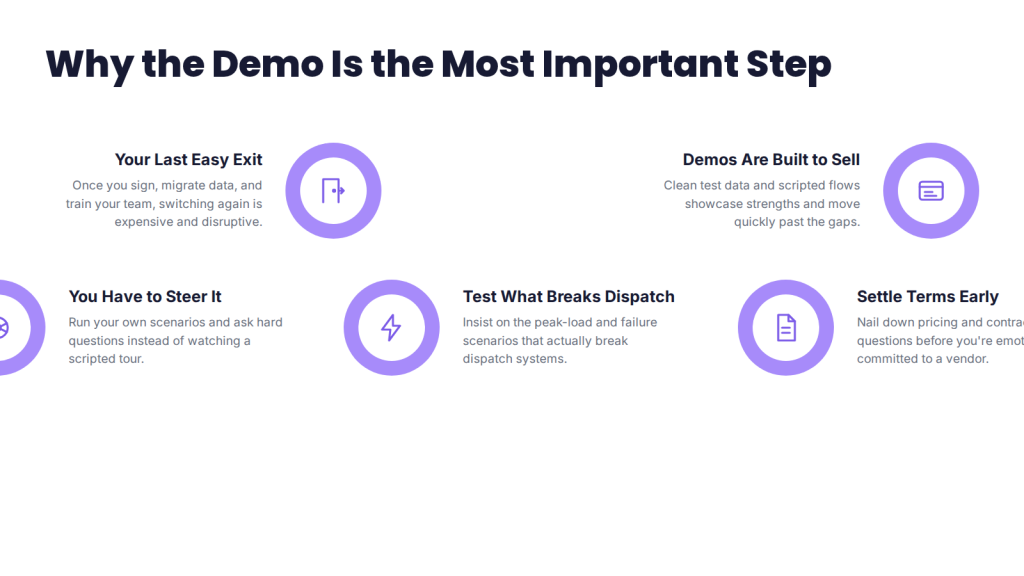
The problem is that demos are designed to sell. They run on clean test data, showcase the strongest features, and move quickly past the gaps. A taxi dispatch software demo only tells you the truth if you steer it, ask hard questions, and insist on testing the scenarios that actually break dispatch systems. This checklist gives you the 12 tests that matter, plus the pricing and contract questions to settle before you’re emotionally committed to a vendor.
The 12-point taxi dispatch software demo checklist
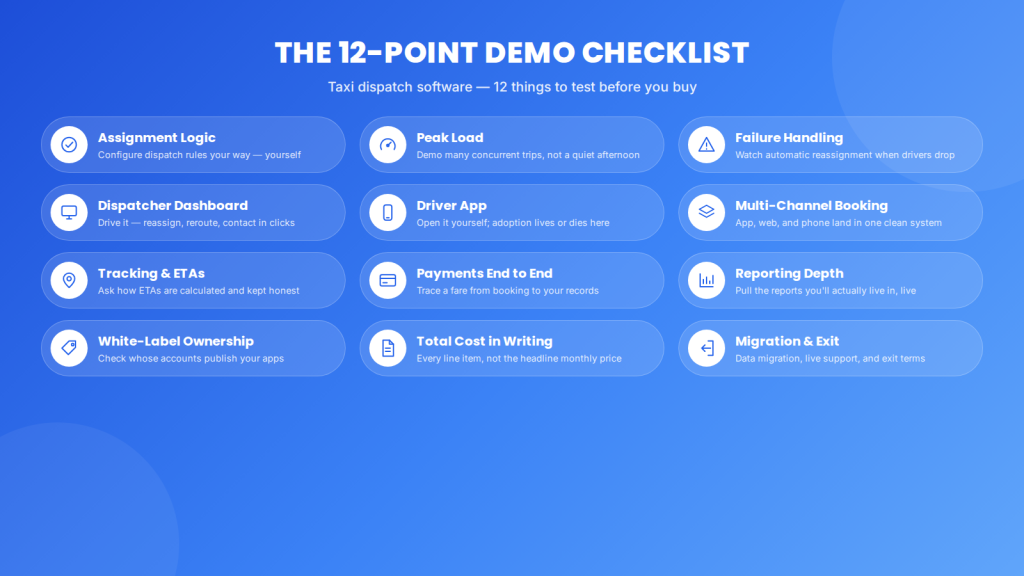
1. Test the assignment logic with your own rules
Ask them to configure the assignment the way you dispatch — nearest driver, rotation, vehicle type, priority for corporate trips — and see how much you can change yourself versus what needs their developers. Rigid logic is the fastest way to outgrow a system.
2. Simulate peak load, not a quiet afternoon
Insist on a scenario with many concurrent trips and drivers, not a tidy five-vehicle mockup. Peak-hour performance is where dispatch products separate, and it’s exactly what demos avoid showing.
3. Break something on purpose
Ask what happens when a driver declines, goes offline, or cancels mid-trip. Reliable automatic reassignment is a core feature; watching it handle failure tells you more than watching it handle success.
4. Put your hands on the dispatcher dashboard
Don’t just watch — drive it. Can you reassign, reroute, and contact a driver mid-trip in a few clicks? A dashboard you can only observe is a monitor, not a dispatch tool.
5. Open the driver app yourself
The driver app decides whether the whole system gets used. Check clarity of assignments, navigation, one-tap status updates, earnings visibility, and what happens when signal drops. If drivers will need workarounds, adoption fails.
6. Test booking across every channel you use
App, web, and phone bookings should all land in the same system cleanly. If phone bookings live in a separate flow, you’ll rediscover the chaos you’re trying to escape.
7. Check real-time tracking and ETA accuracy
Live tracking is table stakes; accurate ETAs are not. Ask how ETAs are calculated and whether route optimization keeps them honest, since inaccurate ETAs erode passenger trust fast.
8. Trace a payment end to end
Follow a fare from booking to payment to your records. Check supported payment methods, card-on-file, receipts, and how it reconciles — payment friction quietly costs repeat business.
9. Pull the reports you’ll actually live in
Ask to generate the reports you need weekly: revenue, driver performance, utilization, cancellations. If the reporting is thin or rigid, you’ll end up exporting to spreadsheets anyway.
10. Confirm what’s white-label and who owns the apps
If your brand matters, check what’s brandable and — critically — whose developer accounts the customer and driver apps are published under. Vendor-owned app listings are a trap you find later.
11. Ask for total cost in writing
Get every line: subscription basis, setup and onboarding, branded app fees, per-trip or usage charges, payment and map costs, and support tier. The monthly figure is rarely the real cost.
12. Nail down migration, support, and exit
Confirm they’ll migrate your customer, vehicle, driver, and booking data; what support you get during live operations; and what happens to your data and apps if you leave. These answers reveal the partnership, not just the product.
The taxi dispatch software demo checklist at a glance
| # | What to test | Red flag |
| 1 | Configurable assignment logic | Everything needs their developers |
| 2 | Peak-load performance | Only a clean small-scale demo |
| 3 | Failure handling / reassignment | No answer for driver declines |
| 4 | Dispatcher dashboard control | View-only, can’t intervene |
| 5 | Driver app usability | Drivers need workarounds |
| 6 | Multi-channel booking | Phone bookings sit separately |
| 7 | ETA accuracy | Vague on how ETAs are calculated |
| 8 | End-to-end payment | Clunky payment or reconciliation |
| 9 | Reporting depth | Thin or export-only reports |
| 10 | White-label + app ownership | Vendor owns your app listings |
| 11 | Total cost in writing | Only a headline monthly price |
| 12 | Migration, support, exit | Vague on data and exit terms |
How much does a taxi dispatch system cost?
Taxi dispatch system prices are usually a monthly subscription per driver, vehicle, or trip, or custom white-label and enterprise pricing, with many vendors quote-based rather than public. The headline rate is only part of the picture.
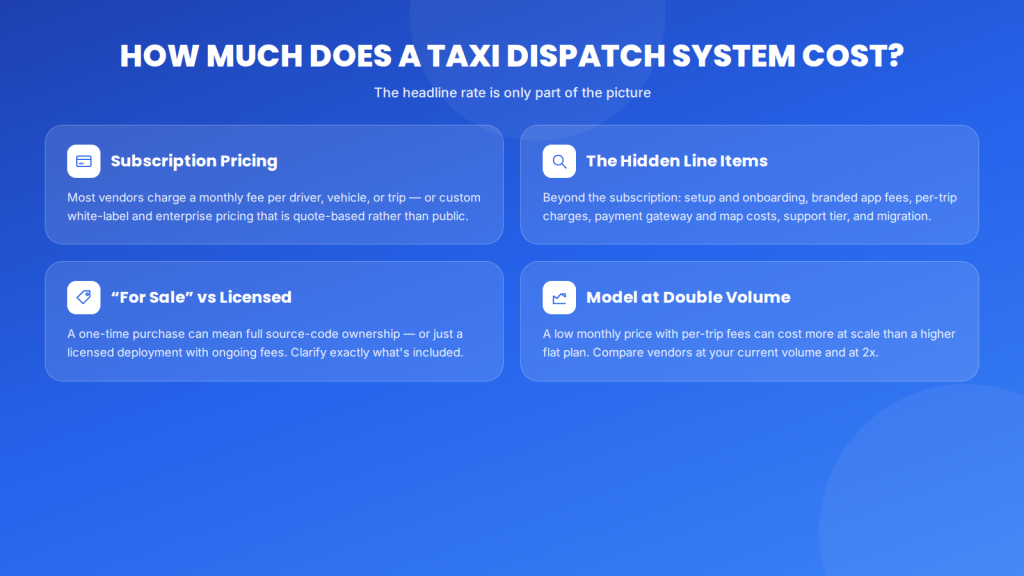
When you ask how much a taxi dispatch system costs, get taxi dispatch software pricing broken down: setup and onboarding, branded customer and driver app fees, per-trip or usage charges, payment gateway and map costs, support tier, and migration. A low monthly price with per-trip fees can cost more at volume than a higher flat plan. If you see a taxi dispatch system for sale as a one-time purchase, clarify what “for sale” includes — source code and full ownership, or a licensed deployment with ongoing fees — because those are very different things. Model total cost at your current volume and at double it before comparing vendors. (For published price ranges, insert verified vendor pricing rather than estimates.)
Questions vendors hope you won’t ask
The most revealing demo questions are about limits, failure, and exit — not features. A confident vendor answers them directly; a evasive answer is itself information.
- What can’t this system do well? Every product has gaps; honesty about them predicts the relationship.
- Show me a live customer of my size and service type, not just your flagship logos.
- What’s your uptime record, and what happens during an outage?
- Which capabilities are in the base plan versus paid add-ons?
- If we leave in two years, what happens to our data and our branded apps?
- Who owns the app-store listings — us or you?
Ask these during the demo, while you still have leverage, not after you’ve signed.
Where AllRide fits
AllRide Apps is an AI-powered, white-label taxi and transportation platform is used by multiple global transport businesses, spanning taxi, airport transfer, limo, and car rental through AllRide Cab.
If you’re running this checklist against AllRide, the things to put to the demo team are the platform’s core: automated dispatch with configurable driver and vehicle assignment; real-time GPS tracking with route optimization behind ETAs; a dedicated driver app with assignments, navigation, and two-way ratings; multi-channel booking with payment gateway integration; reporting dashboards; and white-label customer and driver apps, with 100+ API integrations and 50+ language and multi-currency support.
The honest framing: don’t take our word for any of it. Bring the 12 points to the demo and make the platform prove them against your operation.
Frequently asked questions
What should I test in a taxi dispatch software demo?
Test 12 things: configurable assignment logic, peak-load performance, failure handling, the dispatcher dashboard, the driver app, multi-channel booking, ETA accuracy, end-to-end payment, reporting depth, white-label and app ownership, total cost in writing, and migration, support, and exit terms. Drive the demo yourself with your own scenarios rather than watching a scripted walkthrough.
How much does a taxi dispatch system cost?
Taxi dispatch system prices are typically a monthly subscription per driver, vehicle, or trip, or custom white-label and enterprise pricing, with many vendors quote-based. Beyond the subscription, factor in setup, branded app fees, per-trip or usage charges, payment and map costs, support tier, and migration. Model total cost at your current volume and at double it.
What is the best taxi dispatch system?
The best taxi dispatch system is the one that passes your demo checklist for your operation — strong configurable dispatch, a driver app your drivers will use, accurate ETAs, transparent pricing, and solid migration and support. There’s no universal winner; a small fleet and a multi-city operator have genuinely different needs, so test against your own scenarios.
Can I buy taxi dispatch software outright?
Some vendors offer taxi dispatch software for sale as a one-time or licensed purchase, while most operate on subscription. If you see a system “for sale,” clarify exactly what’s included — full source code and ownership, or a licensed deployment with ongoing hosting, support, and update fees — because the long-term cost and control differ significantly between the two.
How long should a taxi dispatch software demo take?
A meaningful demo usually needs 45 to 90 minutes, and often more than one session, because you should drive the system yourself, test peak-load and failure scenarios, open the driver app, and trace a payment. A 20-minute scripted walkthrough isn’t enough to evaluate a platform you’ll depend on daily.
What questions should I ask a taxi dispatch vendor?
Ask the revealing ones: what the system can’t do well, references from operators of your size, uptime and outage handling, which features are add-ons, and what happens to your data and branded apps if you leave. Feature questions are easy for any vendor to answer; questions about limits, failure, and exit tell you how the partnership will actually work.
Conclusion
A taxi dispatch software demo is not a presentation to sit through — it’s a test you run. The vendors will show you their best; your job is to test the scenarios that break dispatch systems, get total cost in writing, and settle migration and exit before you’re committed. The 12 points above are how you tell the best taxi dispatch system for your fleet from the best sales pitch.
Take the checklist into every demo you book. When you’re ready to test AllRide against it, we’d rather you scrutinize the platform than take our word for it — book a free demo.