


 Fleet Management
 Route optimization
 Shuttle Transportation
 Delivery Management
 School Bus Transportation
 Ride Sharing Management
 Airport Transfer Booking
  Vehicle inspection
 Car Rental Management
 Trucking & Logistics
 Food & Beverage
 E-Commerce
 Passenger Transit
 Delivery
 School & Corporate
Airport Transfer Software for Small Business: 2026 Buyer’s Guide
Airport transfer software for a small business should do four things well — capture bookings from every channel, handle flight-driven timing, give drivers clear jobs, and take payment — without the cost or setup burden of an enterprise platform. Most small operators do not need the deepest system on the market. They need one that ends the spreadsheet-and-phone routine, launches in days rather than months, and grows with them instead of forcing a migration in eighteen months.
Key takeaways
- Complexity, not vehicle count, decides when you need software.
- Buy for the operation you’ll run next year, not in five years.
- Flight-driven timing is the one capability worth paying up for.
- Partner bookings from hotels and agents need a workflow from day one.
- Model cost at peak season, not an average month.
- Start with the essentials and add automation as volume grows.
The small-operator problem
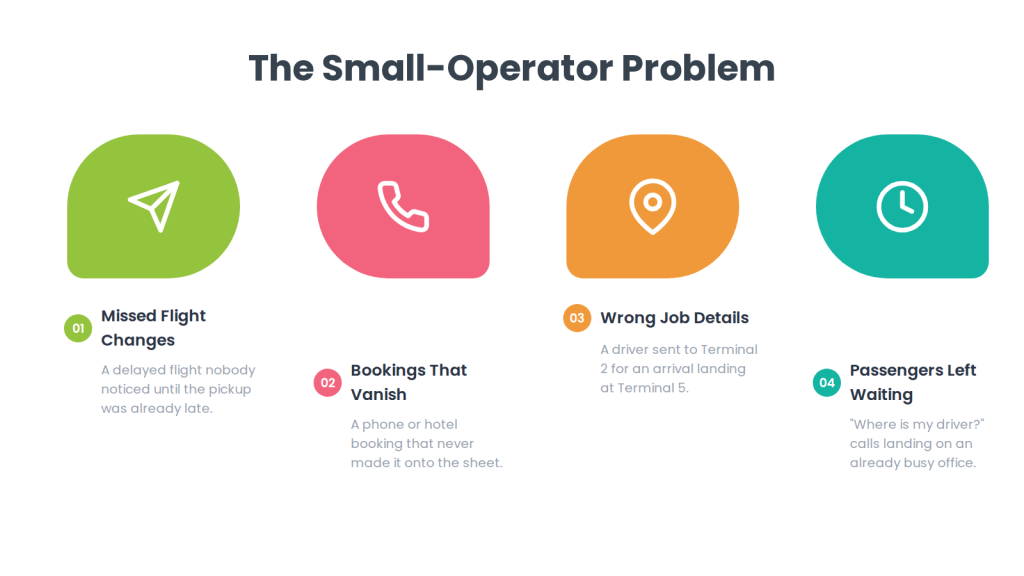
A small airport transfer business usually runs on a handful of vehicles, one or two people coordinating, and a set of habits that worked fine at ten bookings a week. A shared spreadsheet, a WhatsApp group for drivers, a flight-status tab open in the browser, and a card reader in each car.
That system holds until it doesn’t. The failure point is rarely a dramatic one — it’s a delayed flight nobody noticed, a hotel booking taken by phone that never made it onto the sheet, a driver sent to Terminal 2 for an arrival at Terminal 5, or a passenger left waiting while the office works out which car is free. Each incident is small; the cumulative effect is a business that can’t take on more work without something breaking.
The trap on the other side is overbuying. Enterprise transfer platforms are built for operators running hundreds of daily arrivals across multiple cities, and buying one at five vehicles means paying for capability you can’t use and spending weeks configuring features you’ll never switch on. The right airport transfer software for small businesses avoids both failures. It adds enough structure to stop manual chaos. It does not create extra work or become its own project.
When is a small operator actually ready?
The trigger is operational complexity, not fleet size — a three-vehicle operator running twenty flight-driven arrivals a day needs software more urgently than a ten-vehicle firm doing predictable hotel shuttles.
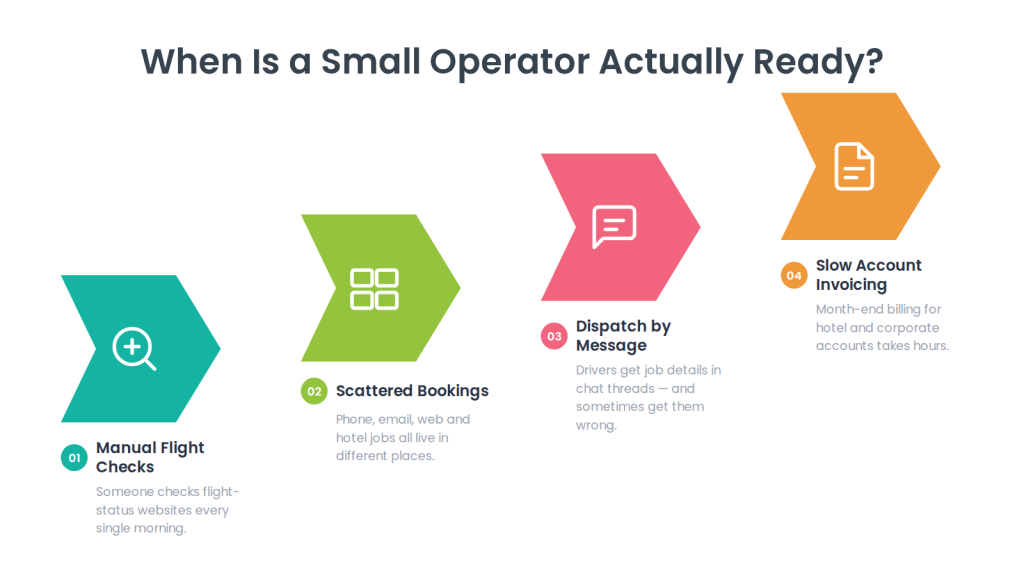
You’re likely ready when several of these are true:
- Someone is manually checking flight-status websites every morning.
- Bookings arrive through phone, email, website and a hotel, and live in different places.
- Drivers are getting job details by message, and sometimes get them wrong.
- You’ve had a pickup missed or badly late because of a flight change.
- Passengers regularly call to ask where the driver is.
- You can’t quickly say which vehicles are free next Tuesday afternoon.
- A hotel or travel agent has asked for something you can’t easily provide — an account, a report, a booking portal.
- Month-end invoicing for account customers takes hours.
If only one or two apply, a better-organised spreadsheet may genuinely still be enough. If most apply, the manual system is already costing more in time and lost bookings than software would.
What to buy first: the small-business essentials
Buy the four capabilities that stop things going wrong — booking capture, flight-driven timing, driver dispatch, and payment — and treat everything else as a later upgrade.
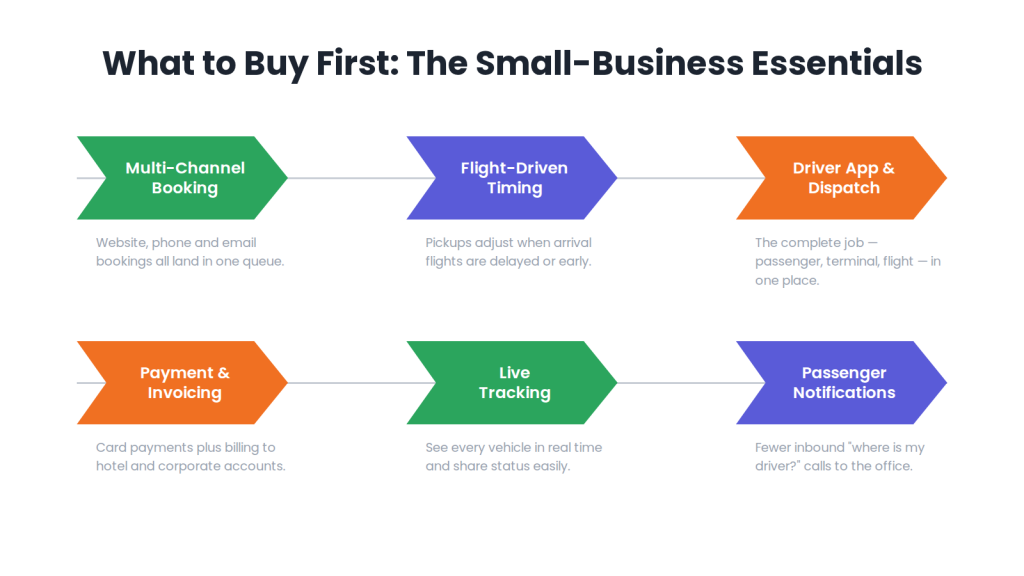
Multi-channel booking into one place. Website, phone and email bookings all need to land in the same list. This single change removes most of the “which booking is where” problem, and it matters more at small scale than any advanced feature, because you don’t have staff to reconcile systems.
Flight-driven timing. For airport work this is the capability worth stretching your budget for, because it’s the one that prevents the failures customers remember. At minimum you need flight details attached to every booking and a clear view of arrival times; ideally the system adjusts pickups automatically when a flight moves. Ask any vendor precisely what they do here — the difference between storing a flight number and tracking a flight is large, and our flight tracking dispatch software guide covers the questions to ask.
Driver dispatch and a driver app. Drivers need the full job in one place — passenger, terminal, meeting point, flight, instructions — rather than a message thread. For a small fleet, a clear driver app often saves more dispatcher time than automated assignment does.
Payment and simple invoicing. Card and online payment for direct customers, plus the ability to bill an account for hotel or corporate work. Manual invoicing is one of the first things a small operator should stop doing.
That’s the core. Live tracking and passenger notifications are close behind, mostly because they reduce inbound “where is my driver?” calls, which at small scale land on someone who has other work to do.
What a small operator can skip until later
Buying too much too early costs money and setup time you don’t have — several capabilities are genuinely better deferred.
| Buy now | Defer until you grow |
| Multi-channel booking in one queue | Multi-depot or multi-city operations |
| Flight details on every booking | Advanced automated assignment rules |
| Driver app with full job details | Complex role and permission structures |
| Basic dispatch and reassignment | Deep API integrations and custom development |
| Card payment and account billing | Fully branded custom apps |
| Simple reporting | Advanced analytics and forecasting |
| Passenger confirmations | Multi-language and multi-currency (unless you need them now) |
The exception is anything that would force a migration later. If you know you’ll add shared shuttle services or a second city within two years, check the platform can handle it — you’re not buying that capability today, just confirming it exists so you don’t have to switch.
Booking channels: the part small operators underestimate
Most small transfer businesses grow through hotels, travel agents and corporate accounts rather than direct web traffic, so the software needs to handle partner bookings from the start.
A hotel concierge booking on behalf of a guest needs a simple way to send you the job and a confirmation to hand the guest — and usually wants billing to an account rather than a card per trip. A travel agent books ahead in volume and expects a confirmation they can forward. A corporate client wants monthly invoicing and, eventually, a report.
You don’t need a full partner portal at five vehicles. You do need a workflow where a partner booking is captured properly, billed to the right account, and reportable — so you can see which hotel actually drives your revenue. That visibility is what tells you where to invest your limited sales effort.
What airport transfer software costs a small operator
Expect a monthly subscription priced per vehicle, driver or trip, with the lines most likely to surprise you being flight data, branded apps and peak-season usage.
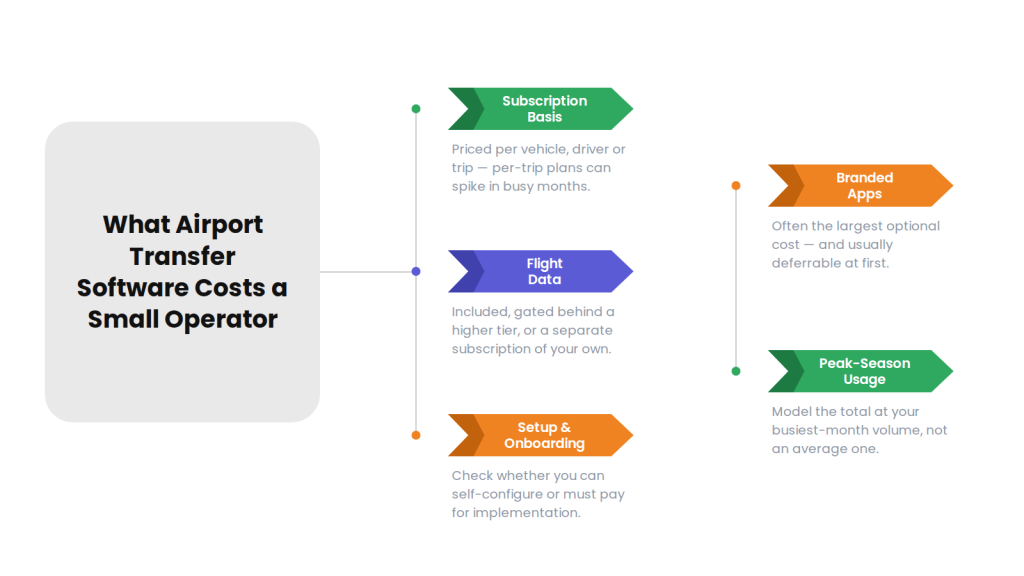
| Cost line | What to check as a small operator |
| Subscription basis | Per vehicle or driver is usually predictable at small scale; per-trip can spike |
| Minimum commitment | Some platforms have minimums that don’t suit five vehicles |
| Flight data | Included, gated behind a higher tier, or your own subscription |
| Setup and onboarding | Whether you can self-configure or must pay for implementation |
| Branded apps | Often the largest optional cost; usually deferrable |
| Payment and messaging | Gateway fees and SMS costs, billed on usage |
| Support | Whether real support is included on the entry plan |
| Contract length | Monthly rolling versus annual lock-in |
Two small-operator specifics. First, model peak season — transfer demand is seasonal, and a per-trip plan that looks cheap in November can be your largest cost in July. Second, check the entry tier honestly: some platforms market to small businesses but set their lowest plan well above what a five-vehicle operation can justify. (For the broader picture, see our guide to transport software pricing models.)
Cloud, and why it matters more when you’re small
A cloud-based airport transfer platform suits small operators because there’s nothing to host, nothing to maintain, and you can run the business from a phone.
You almost certainly don’t have IT staff. Cloud delivery means updates, security and backups are the vendor’s problem, and it means the person coordinating can do it from home at 5am when the first arrival lands — which is the actual working pattern of most small transfer businesses. It also means adding a vehicle or a user doesn’t involve buying anything.
The trade-off worth acknowledging: you’re dependent on connectivity and on the vendor’s uptime. Ask what happens during an outage and whether the driver app functions with poor signal, which matters in airport car parks.
How to evaluate without wasting your time
As a small operator your scarcest resource is time, so run a short, sharp evaluation on your own bookings rather than sitting through long vendor tours.
Shortlist two or three platforms, then in each airport transfer software demo or free trial, test exactly this:
- Enter a booking the way your customers actually book — including a phone booking.
- Attach a flight and see what the system does when that flight is delayed.
- Look at the job as the driver sees it on a phone.
- Take a payment, and separately bill a booking to a hotel account.
- Produce the month-end invoice for that account.
- Ask what it costs at your peak-month volume, in writing.
If a platform handles those six cleanly, it will handle most of your operation. Also confirm the practical things: how long setup takes, whether you can do it yourself, what support you get on the entry plan, and whether you can export your data if you leave. (Our dispatch software buyer checklist covers the fuller framework if you want it.)
Growing into the platform
Choose software you can start simple with and switch capability on later, because migration is far more disruptive than paying slightly more now.
A sensible progression for a small transfer business looks like: get bookings and dispatch into one system first; add passenger notifications and live tracking once volume makes the calls annoying; add partner or corporate account billing when those clients arrive; add branded apps when your brand starts winning work; and add automated assignment when a human can no longer allocate everything quickly.
The one question to ask upfront is whether each of those steps is possible on the platform you’re choosing, and roughly what each costs. You’re not buying them now — you’re confirming you won’t have to migrate to get them.
How AllRide fits smaller airport transfer operators
AllRide Apps is an AI-powered, white-label transport platform, spanning small operators through to large fleets, with AllRide Cab covering private transfers and taxi work and AllRide Bus covering shared shuttle services.
For a small transfer operator, the relevant confirmed capabilities are multi-channel booking across app, web and phone; automated dispatch and driver assignment with manual control; a driver app; real-time GPS tracking and route optimization; configurable fares and service zones; payment gateway integration; and reporting — delivered as a cloud platform, so there’s nothing to host and maintain. Because it’s configurable and scales across services, an operator can start with what they need now and extend as they grow rather than migrating later.
Two things to confirm rather than assume, for AllRide or any vendor on your shortlist: how flight data and delay handling can be supported for your setup, and how partner or hotel account billing works in your configuration. Those are the two capabilities that most affect a small airport operation, and they vary across this category — ask directly rather than assuming they’re included.
Talk through your transfer workflow with the AllRide team — book a free demo.
Frequently asked questions
What is airport transfer software for small business?
Airport transfer software for a small business is a system that captures pre-booked transfer reservations, handles flight-driven timing, assigns drivers and vehicles, and takes payment — sized and priced for operators running roughly three to twenty vehicles. The goal is removing manual coordination without the cost or setup burden of an enterprise platform.
When does a small airport transfer business need software?
The trigger is operational complexity rather than fleet size. Consider software when you’re manually checking flight statuses, bookings live in several places, drivers get job details by message, passengers call asking where the driver is, or month-end invoicing for account customers takes hours. A three-vehicle operator with twenty flight-driven arrivals daily may need it more than a ten-vehicle firm on predictable routes.
How much does airport transfer software cost for a small fleet?
Expect a monthly subscription per vehicle, driver or trip. Beyond the base rate, check whether flight data is included or gated behind a higher tier, plus setup, branded app fees, payment and messaging costs, support level and contract length. Model the total at peak-season volume rather than an average month, since transfer demand is strongly seasonal.
What features should a small operator prioritise?
Four things: multi-channel booking landing in one queue, flight-driven timing, a driver app with complete job details, and payment plus simple account invoicing. Live tracking and passenger notifications come next because they reduce inbound calls. Advanced automation, multi-depot support, custom integrations and fully branded apps can usually wait.
Is cloud-based airport transfer software better for small businesses?
For most small operators, yes. Cloud delivery means no servers to host or maintain, no IT staff required, automatic updates and backups, and the ability to run the operation from a phone — which matches how small transfer businesses actually work. Confirm what happens during an outage and how the driver app behaves with poor signal in airport car parks.
Can I get a free trial or demo of airport transfer software?
Many vendors offer a demo or free trial. Use it on your own bookings rather than watching a scripted tour: enter a phone booking, attach a flight and simulate a delay, view the job as the driver sees it, take a payment, bill a booking to a hotel account, and produce that account’s invoice. Six focused tests tell you more than an hour-long walkthrough.
Will small-business software still work as we grow?
It depends on the platform, and it’s worth checking upfront. Confirm whether the system supports the capabilities you’ll want later — partner account billing, branded apps, automated assignment, additional services or locations — and roughly what each costs. You’re not buying them now, only confirming you won’t be forced to migrate to get them.
Conclusion
Small airport transfer operators face two opposite mistakes: running manually for too long, and buying an enterprise platform they can’t use. The way through is to buy for the failures you actually have — bookings scattered across channels, flights moving without anyone noticing, drivers working from messages, and invoicing done by hand.
Get those four right, defer the rest, model your cost at peak season, and confirm the platform can grow with you. Then test your shortlist on six real bookings rather than a demo script. To talk through what a small transfer operation actually needs, book a free AllRide demo.