

 Fleet Management
 Route optimization
 Shuttle Transportation
 Delivery Management
 School Bus Transportation
 Ride Sharing Management
 Airport Transfer Booking
 Vehicle inspection
 Car Rental Management
 Trucking & Logistics
 Food & Beverage
 E-Commerce
 Passenger Transit
 Delivery
 School & Corporate
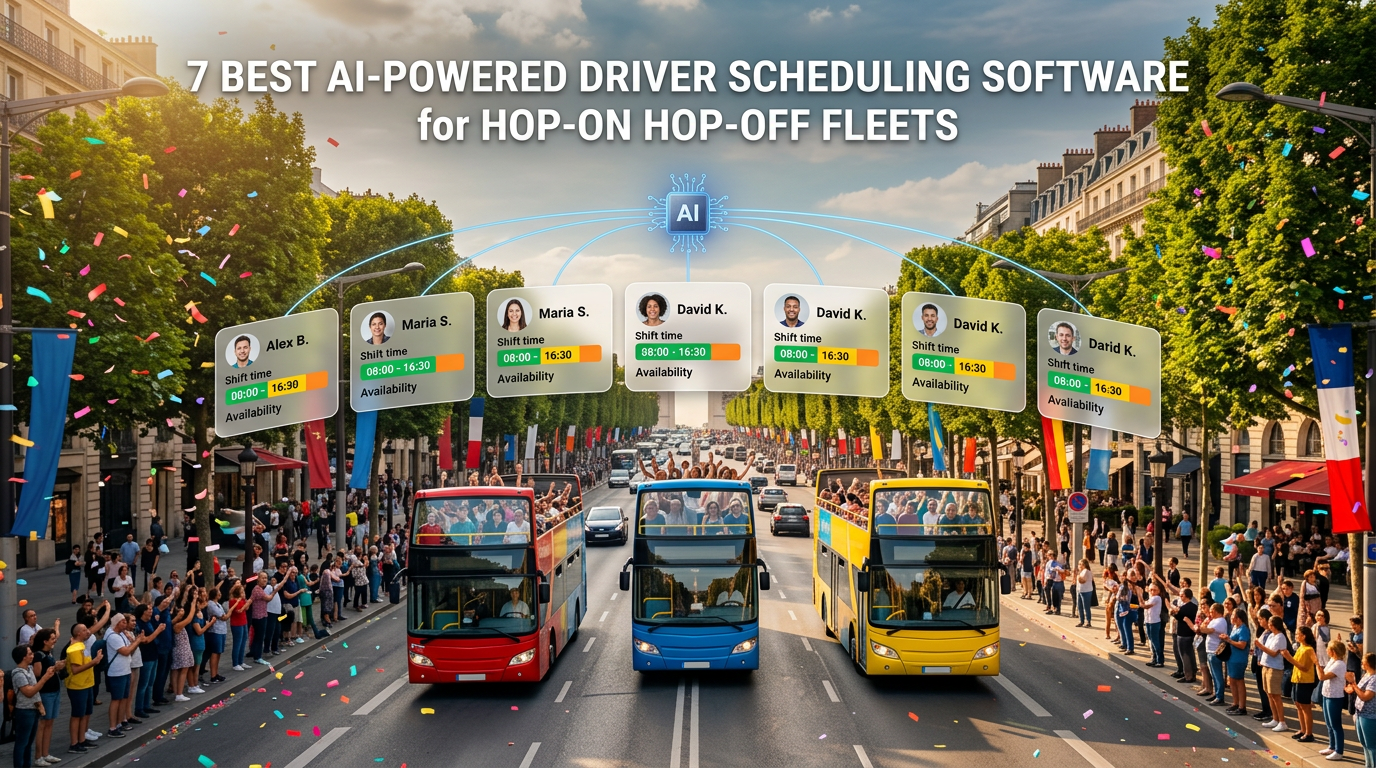
7 Best AI-Powered Driver Scheduling Software Tools for Hop-On Hop-Off Fleets
AI-powered driver scheduling software builds and maintains driver rosters against runs, shift patterns, break rules and availability — then rebuilds them when someone calls in sick. The seven tools compared here include AllRide, Optibus, HASTUS, Trapeze, Deputy, When I Work and Connecteam, split between transport-native crew scheduling and general workforce platforms.
Key takeaways
- Driver scheduling and trip scheduling are different problems. One covers runs with people; the other builds the runs. Tools that do one rarely do the other well.
- Relief points are the detail generic tools miss. On a frequency service, drivers change over mid-route rather than at a depot, and a roster that assumes depot-based shifts will not work.
- Split shifts are the HOHO norm, not an exception. Morning and afternoon peaks with a slack middle means two shift blocks per driver per day, which many workforce apps handle badly.
- Seasonality is extreme. A summer roster and a November roster are different operations, and rebuilding from scratch twice a year is avoidable.
- Break and hours compliance is a legal gate, not an optimisation. In most markets driving-hours rules carry real penalties.
- Absence cover is where rosters actually fail. How fast a tool finds a qualified replacement at 06:40 matters more than how elegantly it built the original plan.
Your 09:00 loop needs eleven drivers. Two called in sick overnight, one is approaching a break threshold mid-afternoon, and the relief driver who normally takes over at the museum stop is on leave. Meanwhile your summer roster has six more drivers than your October one, and nobody wants to rebuild it by hand again.
Driver scheduling is the quiet constraint in hop-on hop-off operations. The vehicles are the visible asset and the passes are the visible revenue, but what actually determines whether your advertised fifteen-minute headway holds is whether you have a qualified, legally available driver in every seat at every hour you publish.
This guide compares seven tools for scheduling drivers across sightseeing and bus fleets, organised by the kind of operation each fits.
What is driver scheduling software?
Driver scheduling software builds rosters that assign drivers to runs and shifts, respecting availability, qualifications, break and driving-hours rules, contracted patterns and cost — then manages the changes when reality interferes.
The category is searched as driver scheduling software, bus driver scheduling software, driver shift scheduling software, driver and vehicle scheduling software and driver scheduling and dispatch software. Those terms span two genuinely different products, which is the first thing to get clear.
Crew scheduling — sometimes called run-cutting — converts a published timetable into efficient driver duties, deciding how work splits into shifts that are legal, coverable and economical. This is a specialist optimisation problem, and the transport industry has purpose-built tools for it.
Workforce scheduling manages shift patterns, availability, time-off requests, swaps and timesheets. It is a people-management problem and there are excellent general tools for it.
A HOHO operator usually needs both. The question is whether one tool covers enough of each, or whether you need two.
Why hop-on hop-off driver scheduling is unusual
Even within bus operations, sightseeing creates scheduling conditions that generic tools handle badly.
| Factor | Typical bus or commuter service | Hop-on hop-off |
| Service pattern | Timetabled departures | Frequency-based loops, variable headway |
| Operating day | Defined peaks and troughs | Long continuous day, often 09:00–18:00+ |
| Shift shape | Standard or split | Split shifts common, with slack middle |
| Driver changeover | Usually at depot | Relief points mid-route |
| Seasonality | Modest | Extreme — summer versus winter are different operations |
| Weather sensitivity | Low | High for open-top; affects frequency and crewing |
| Additional roles | Driver only | Guides, hosts and ticket staff alongside drivers |
| Demand signal | Commuter patterns | Cruise arrivals, events, weather, school holidays |
Relief points deserve emphasis. On a frequency service the bus does not return to a depot between duties, so driver changeover happens at a defined point on the loop. A roster that assumes shifts start and end at a depot will produce a plan your operation cannot actually run — and that is exactly what a generic shift-scheduling app assumes.
What to look for in driver scheduling software
Seven criteria decide this.
Run-cutting or shift-building depth. Can it convert your published frequency into efficient driver duties, or does it only let you drop people into pre-defined shifts you created manually? The difference is substantial at scale.
Break and driving-hours compliance. Confirm it enforces the rules that apply in your market as hard constraints rather than warnings, and that it can be configured when those rules change.
Relief point and changeover handling. Can duties start and end away from a depot, at a defined location and time on the route?
Split-shift support. Two blocks in a day with an unpaid gap, respecting minimum rest between them and maximum spread across the working day.
Absence cover speed. When a driver calls in at 06:40, how quickly does the tool identify who is qualified, available and not in breach of hours — and how does it reach them?
Seasonal rostering. Can you hold multiple roster patterns — summer, shoulder, winter — and switch between them without rebuilding from scratch?
Driver-facing experience. Drivers need to see their roster, request time off, swap shifts and confirm changes from a phone. A roster drivers cannot see is a roster your office spends its day explaining.
Operator insight
The number that predicts whether a driver roster is actually sustainable is not utilisation — it is the proportion of duties that change after publication. Operations where more than roughly one duty in ten is altered between publication and operation are usually not suffering an absence problem; they are suffering a planning problem, because the original roster was built on optimistic assumptions about availability, qualifications or spread. The fix is almost always in the constraints rather than the people. Operators who track post-publication change rate weekly find the pattern — a particular shift nobody wants, a relief point that does not work, a split too long to be worth coming back for — and fix the roster rather than chasing cover every morning.
The 7 best driver scheduling tools for HOHO and bus fleets
Organised in three groups, because these tools are not substitutes for one another.
Transport operations platforms with driver management
1. AllRide

Group: Transport operations platform.
AllRide is an AI-powered, white-label transport platform covering route-based passenger services including sightseeing and hop-on hop-off, alongside shuttle and bus transport, airport transfers, taxi and chauffeur work, car rental and delivery. On the driver side it connects assignment, availability and live operations with the routes those drivers are running — which is the part generic workforce tools cannot do.
What it handles
- Driver management — profiles, availability, documents and assignment records across the fleet.
- Automated dispatch and driver assignment — allocation across routes and shifts on configured operating rules, with dispatcher override when a vehicle is withdrawn or a driver becomes unavailable.
- Route and stop management — defined loops with ordered stops, so driver assignment happens against the actual service structure rather than abstract shifts.
- Real-time GPS tracking — live visibility of which driver is where, which is what makes same-day reallocation possible rather than theoretical.
- Branded driver app — drivers see assignments, route details and status controls under your own brand.
- Reporting dashboards — driver and vehicle activity across routes and periods.
- Multi-service coverage — sightseeing routes alongside transfers, shuttles or private transport, so a driver pool working across services is managed in one place.
Where it fits: operators who want driver assignment connected to live route operations under their own brand, particularly those running sightseeing alongside other services where the same drivers may cover more than one.
What to confirm: run-cutting depth, break and driving-hours rule enforcement, split-shift construction, relief-point handling and seasonal roster patterns are the specialist crew-scheduling capabilities this guide recommends testing. These vary by vendor and configuration across the whole category — raise them directly, including what is achievable through API integration with a crew-scheduling or workforce tool. Larger operations with complex duty rules typically pair an operations platform with a crew-scheduling specialist from the group below.
Transport-native crew scheduling
2. Optibus

Group: Crew and vehicle scheduling specialist.
Optibus applies optimization to public transport scheduling, covering vehicle scheduling and crew scheduling together — converting a service plan into efficient vehicle blocks and driver duties.
What it handles: run-cutting and duty construction; vehicle and crew scheduling in one model; scenario comparison for different service levels; rostering; compliance rule configuration.
Where it fits: operators large enough that building duties is a significant planning task, and where the cost difference between a good and a mediocre run-cut is material.
Consider: it is a planning platform rather than a live operations or ticketing system, so it sits alongside rather than replacing them. Confirm the integration path to whatever runs your live operation.
3. HASTUS (GIRO)

Group: Crew and vehicle scheduling specialist, enterprise.
HASTUS is a long-established transit scheduling system covering vehicle and crew scheduling, rostering, operations and workforce management at agency and large-operator scale.
What it handles: run-cutting and duty optimisation; crew rostering and bidding; operations management; daily workforce handling; extensive rule configuration for complex agreements.
Where it fits: large operations, particularly those with collective agreements or complex duty rules where the scheduling problem is genuinely hard.
Consider: enterprise implementation depth and cost; likely disproportionate for a small sightseeing operator with a dozen drivers.
4. Trapeze

Group: Transit operations and workforce scheduling.
Trapeze offers scheduling and operations products across transit, including crew and vehicle scheduling and daily operations management.
What it handles: scheduling and run-cutting; operations and daily dispatch of crew; absence and overtime management; integration with the wider transit technology estate.
Where it fits: operators already running other systems from the same family, or large operations wanting scheduling and daily crew operations together.
Consider: implementation weight; confirm current product scope and roadmap, as the transit software sector has seen consolidation.
General workforce scheduling
5. Deputy

Group: Workforce scheduling.
Deputy handles shift scheduling, availability, time-off, swaps, timesheets and labour cost tracking across deskless workforces, with a strong mobile experience.
What it handles: shift creation and publication; availability and leave; shift swapping and open-shift claiming; timesheets and labour cost; compliance rules for breaks and overtime where configured.
Where it fits: small and mid-sized HOHO operators managing drivers, guides and ticket staff together, where shifts are built from known patterns rather than optimised from a timetable.
Consider: it schedules people, not runs. It has no concept of a route, a vehicle block or a relief point, so pair it with an operations platform that does.
6. When I Work

Group: Workforce scheduling, SMB.
When I Work provides straightforward shift scheduling, availability management, swaps and team messaging with an accessible entry point.
What it handles: shift templates and publication; availability and time-off; swap requests; messaging; time clock and attendance.
Where it fits: smaller sightseeing operations wanting simple rostering for drivers and front-line staff without implementation effort.
Consider: same limitation as any general tool — no route, vehicle or duty awareness. Suits operations where the schedule is stable and the complexity is people rather than runs.
7. Connecteam

Group: Deskless workforce management.
Connecteam combines scheduling with communication, training, checklists and task management for deskless teams, which suits operations where drivers and on-board hosts need more than a rota.
What it handles: shift scheduling and dispatch of jobs; team communication; onboarding and training content; forms and checklists such as pre-departure vehicle checks; time tracking.
Where it fits: operators wanting rostering plus the surrounding workforce functions — safety briefings, multilingual guide materials, vehicle check forms — in one app.
Consider: breadth across workforce functions rather than depth in scheduling optimisation; again, no run or relief-point awareness.
Which combination fits your operation?
Most HOHO operators run an operations platform plus one scheduling tool, with the second choice depending on size and duty complexity.
| Your operation | Operations layer | Scheduling layer |
| Small loop, under ~15 drivers | AllRide | When I Work or Deputy |
| Mid-sized, drivers plus guides and ticket staff | AllRide | Deputy or Connecteam |
| Multi-loop network, complex duties | AllRide | Optibus |
| Large operation with collective agreements | AllRide | HASTUS or Trapeze |
| Sightseeing alongside transfers or shuttles | AllRide | Deputy, scaling to Optibus |
| Heavy seasonal swing | AllRide | Optibus or Deputy, with seasonal patterns configured |
| Strong onboarding and briefing needs | AllRide | Connecteam |
| Drivers shared across several services | AllRide | Deputy or Optibus |
Establish who owns the integration before you sign either contract. A roster built in one system and operated in another means somebody reconciles them daily — and that somebody becomes the bottleneck you bought software to remove.
What AI genuinely does in driver scheduling
Four applications deliver most of the measurable value.
AI driver scheduling and run optimisation. Building duties from a published frequency that are legal, coverable and economical is a genuinely hard combinatorial problem — more constraints than a person can hold simultaneously, and small improvements compound across every operating day. A good optimiser does not just fill shifts; it finds the duty structure that covers the service with fewer drivers or less overtime.
AI workforce scheduling for availability and preference. Matching drivers to duties using availability, qualifications, contracted hours, preference history and fairness. The fairness dimension matters more than operators expect — a roster that repeatedly gives the same people the unpopular early turn is a retention problem disguised as a scheduling one.
Absence and disruption recovery. When someone calls in, identifying who is qualified, available and not in breach of driving-hours rules, then reaching them — in minutes rather than through a round of phone calls. This is where scheduling tools earn their keep in daily operations.
Demand-linked crewing. AI bus scheduling software that connects crew requirements to forecast demand — cruise arrivals, events, weather, seasonality — so the roster reflects the service you will actually run rather than a default pattern.
Four questions separate genuine capability from positioning. What data does it learn from — your own roster history and absence patterns, or generic assumptions? Which constraints can you configure yourself? Can it explain why a duty was built as it was? And can a scheduler override it, with the override recorded? Experienced schedulers hold knowledge about drivers and routes that no model has, and a tool that resists correction gets bypassed within a month.
Compliance: the constraint that is not negotiable
Driving-hours and break rules are a legal gate in most markets, and they belong in the scheduling tool as hard constraints rather than warnings.
The specifics vary considerably by jurisdiction and by whether your service is classed as regular, occasional or own-account transport, so confirm your obligations with whoever owns compliance in your organisation rather than relying on a vendor’s defaults. What to verify in the software is consistent regardless of market:
- Can break and rest rules be configured to your specific regulatory regime, and updated when it changes?
- Are they enforced as hard constraints, preventing publication of a non-compliant duty, or surfaced as warnings a scheduler can ignore?
- Does the system account for cumulative limits across a day, week and longer reference period, not just a single shift?
- Can it demonstrate compliance retrospectively if you are inspected?
- How does it handle a driver approaching a limit mid-duty on a live service?
That last point is where frequency services differ from timetabled ones. A driver on a loop cannot simply stop at a convenient terminus — the relief has to be planned into the duty, which is why relief-point handling and break compliance are the same problem.
What driver scheduling software costs
| Layer | Typical model | What to watch |
| Operations platform | Per vehicle, per driver, or platform licence | Seasonal vehicles and drivers billed year-round unless deactivation is supported |
| Crew scheduling specialist | Enterprise licence, often by fleet or duty volume | Implementation effort; these are projects, not sign-ups |
| General workforce scheduling | Per user per month | Whether seasonal staff count year-round; feature tiers |
Beyond the headline, budget for implementation and rule configuration, integration between scheduling and operations, driver app rollout and training, messaging costs for shift notifications and absence calls, payroll or timesheet integration, support during your operating hours, and data export at exit.
The seasonal trap applies doubly here. Per-user workforce pricing bills for your summer headcount all year unless you can deactivate seasonal staff. Ask explicitly, because in sightseeing the difference between peak and off-peak headcount can be substantial.
For a fuller breakdown of pricing structures, see our guide to transport software pricing models.
Metrics that tell you the roster is working
Five numbers worth tracking weekly.
Post-publication change rate. The proportion of duties altered between publication and operation. Above roughly one in ten indicates a planning problem rather than an absence problem.
Uncovered duties and time-to-cover. How often a duty goes unfilled, and how long it takes to resolve one. Time-to-cover is the better diagnostic, because it measures the system rather than the luck.
Overtime as a share of paid hours. Persistent overtime usually means the base roster is under-built rather than that demand spiked.
Driver hours utilisation. Paid hours against productive driving hours. Split shifts and long spreads can produce a roster that looks efficient on duty count and is expensive on paid time.
Roster stability per driver. How often an individual’s published shifts change. Drivers tolerate a demanding roster far better than an unpredictable one, and this correlates with retention more directly than pay does in many operations.
What to test before you buy
Use your own service pattern, your own rules and your own worst week.
- Load one of your actual operating days with its real frequency and vehicle requirement.
- Generate duties and compare driver count against what you currently run.
- Check the distribution of shift lengths and spreads, not just the totals.
- Build a split shift with your real minimum rest between blocks.
- Create a relief point mid-route and confirm a duty can start and end there.
- Configure your break and driving-hours rules and try to publish a non-compliant duty.
- Mark two drivers absent at 06:40 and time how long cover takes to identify.
- Swap a shift between two drivers from the driver app.
- Switch from a summer pattern to a winter pattern without rebuilding.
- Pull a report showing hours, overtime and compliance for one week.
A tool that handles the clean roster and stumbles on relief points or a 06:40 absence is showing you exactly where your season will go wrong.
How to roll out without disrupting service
- Configure compliance rules first and verify them against your own policy — everything downstream depends on them being right.
- Build one week in parallel with your existing method and compare driver count, overtime and spread before trusting the output.
- Involve your schedulers in configuration, not just training. They will find constraint errors before your drivers do.
- Pilot the driver app with a small cohort and gather feedback before fleet-wide rollout.
- Baseline three metrics first: post-publication change rate, time-to-cover, overtime share.
- Migrate in the off-season. Switching rostering methods during peak is the most avoidable risk here.
- Review at four weeks against change rate — if duties are still being altered heavily, fix the constraints rather than blaming cover.
The bottom line
Driver scheduling is where hop-on hop-off operations quietly succeed or fail. A perfect headway on paper is worth nothing without a legally available, qualified driver in every seat, and the operators who run reliably are usually the ones who stopped building rosters by hand before their fleet outgrew the spreadsheet.
Start with the operations layer if your need is driver assignment connected to live routes, vehicles and tracking under your own brand — that is where AllRide fits, particularly for operators running sightseeing alongside transfers or shuttles with a shared driver pool.
Add a scheduling layer matched to your complexity: When I Work or Deputy for straightforward rostering in smaller operations, Connecteam where briefings and checklists matter alongside shifts, Optibus when duty construction becomes a real optimisation problem, and HASTUS or Trapeze at large scale with complex agreements.
Then test the two things generic tools get wrong: a relief point mid-route, and a 06:40 absence.
See driver assignment running against your own routes — book a free AllRide demo and bring a real operating day, your relief points and a driver absence to test it with.
Frequently asked questions
What is AI-powered driver scheduling software?
AI-powered driver scheduling software builds driver rosters against runs, shift patterns, break and driving-hours rules, qualifications and availability, then rebuilds them when absences or disruptions occur. In transport it covers both crew scheduling — converting a timetable or frequency into efficient duties — and workforce scheduling, which manages availability, swaps and time-off.
What is the difference between driver scheduling and trip scheduling?
Trip scheduling builds the service: which routes run, how often, and which vehicles cover them. Driver scheduling assigns people to that service, respecting shift patterns, break rules, qualifications and availability. They are related but distinct problems, and tools that specialise in one rarely handle the other well.
Why is hop-on hop-off driver scheduling different from regular bus scheduling?
Sightseeing runs long continuous operating days on frequency-based loops rather than timetabled departures, uses split shifts around peak demand, changes drivers at relief points on the route rather than at a depot, swings heavily by season and weather, and often rosters guides and ticket staff alongside drivers. Generic shift tools assume none of this.
What is a relief point and why does it matter?
A relief point is a defined location on the route where one driver hands over to another without the vehicle returning to a depot. On a frequency service the bus stays in continuous operation, so changeovers happen on-route. A scheduling tool that assumes depot-based shifts will produce rosters your operation cannot actually run.
Can general workforce scheduling tools handle bus drivers?
They can handle the people side — shifts, availability, swaps, timesheets — and do it well for smaller operations. What they cannot do is understand routes, vehicle blocks, relief points or run-cutting, because they have no concept of the service being operated. Most HOHO operators pair one with a transport operations platform.
How does AI help with driver absence cover?
When a driver calls in, the system identifies who is qualified, available and not in breach of driving-hours rules, ranks candidates, and contacts them — compressing a round of phone calls into minutes. Time-to-cover is the metric worth tracking, because it measures the system rather than how lucky you were that morning.
How should break and driving-hours rules be handled in scheduling software?
As hard constraints that prevent publication of a non-compliant duty, not as warnings a scheduler can dismiss. Confirm the rules can be configured to your specific regulatory regime and updated when it changes, that cumulative limits across day, week and longer periods are tracked, and that compliance can be demonstrated retrospectively.
How much does driver scheduling software cost?
It depends on the layer. General workforce tools are typically per user per month — confirm whether seasonal staff are billed year-round. Crew scheduling specialists are enterprise licences with substantial implementation. Operations platforms are usually per vehicle, driver or licence. Budget separately for rule configuration, integration, driver app rollout and messaging costs.
What metrics show whether a driver roster is working?
Post-publication change rate, uncovered duties and time-to-cover, overtime as a share of paid hours, paid hours against productive driving hours, and roster stability per driver. The first is the most diagnostic — a change rate above roughly one duty in ten usually indicates the roster was built on optimistic constraints rather than that absence is high.
Can one tool handle both driver scheduling and dispatch?
Some operations platforms handle driver assignment and live dispatch together, which works well where duty construction is straightforward. Where run-cutting is genuinely complex — multiple loops, collective agreements, tight duty rules — operators typically add a crew scheduling specialist and integrate it. Establish which vendor owns that integration before signing.